
Description
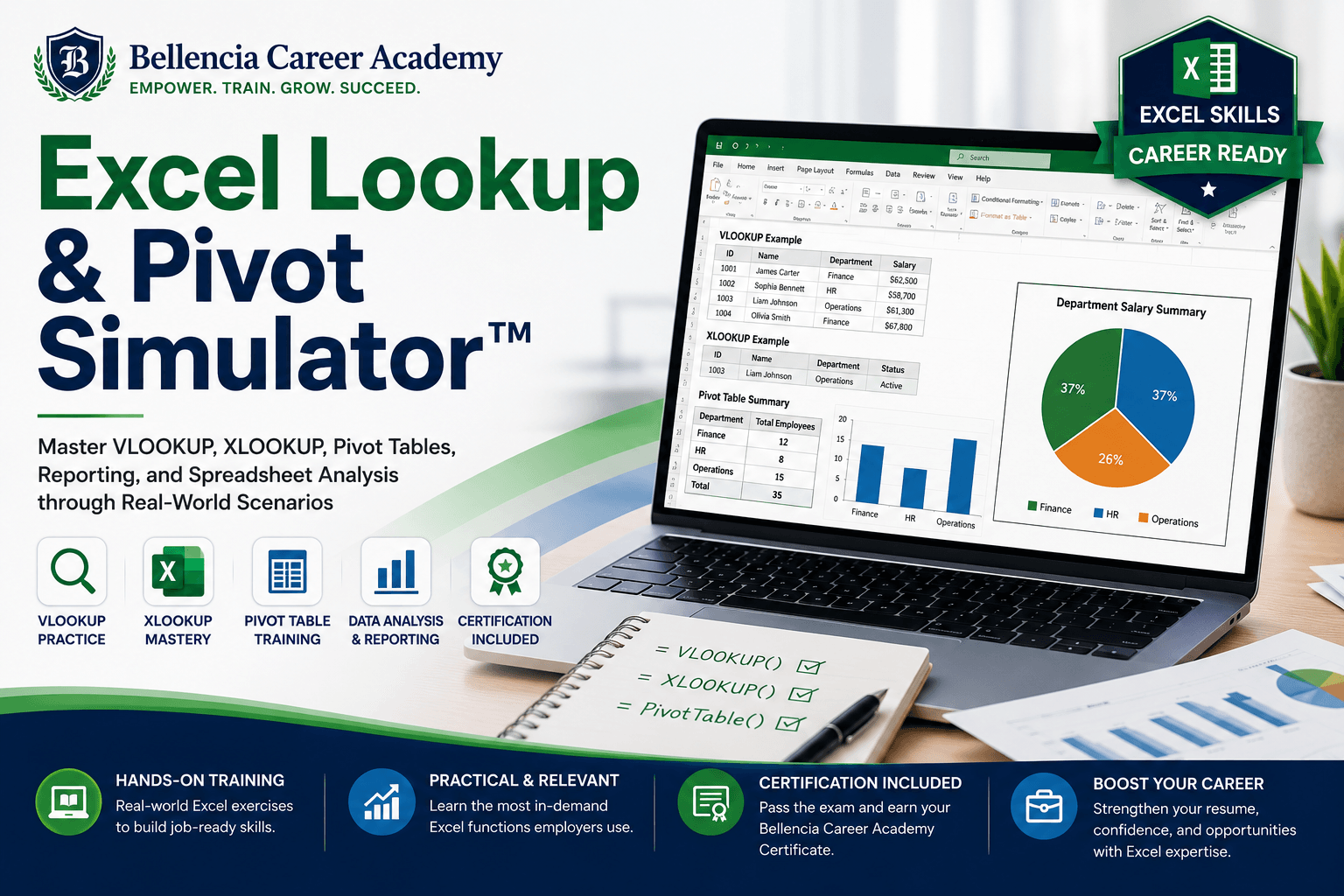
The Excel Lookup & Pivot Simulator™ is an interactive training platform designed to help learners develop practical spreadsheet skills used in healthcare, finance, operations, customer service, revenue cycle management, data entry, claims processing, and business administration roles.
Through guided instruction and hands-on exercises, learners practice using VLOOKUP, XLOOKUP, Pivot Tables, sorting, filtering, reporting, and data validation techniques commonly required in remote and office-based positions.
The simulator recreates real-world business scenarios where users must analyze data, locate records, reconcile information, build reports, summarize trends, and solve operational problems using Microsoft Excel.
Whether preparing for an interview, strengthening existing Excel skills, or pursuing a data-focused career path, learners gain practical experience through realistic exercises and guided coaching.
What You’ll Learn
VLOOKUP Skills
- Exact Match Lookups
- Approximate Match Lookups
- Multi-Table References
- Error Handling
- Data Validation
- Cross-Referencing Records
XLOOKUP Skills
- Left-to-Right Lookups
- Right-to-Left Lookups
- Dynamic Lookups
- Multiple Criteria Searches
- Missing Data Resolution
- Modern Lookup Techniques
Pivot Table Skills
- Data Summarization
- Grouping Data
- Filtering Results
- Creating Reports
- Trend Analysis
- Dashboard Foundations
Spreadsheet Analysis
- Data Validation
- Duplicate Detection
- Record Matching
- Spreadsheet Cleanup
- Reporting Accuracy
- Data Integrity Review
Business Intelligence Basics
- KPI Reporting
- Performance Tracking
- Operational Metrics
- Data Visualization Foundations
- Report Interpretation
Training Modules
Module 1: Excel Fundamentals
Navigate spreadsheets, understand tables, and prepare data for analysis.
Module 2: VLOOKUP Mastery
Learn lookup functions through practical business scenarios.
Module 3: XLOOKUP Mastery
Use modern lookup techniques to locate and validate information.
Module 4: Advanced Lookup Challenges
Solve increasingly complex lookup and reconciliation exercises.
Module 5: Pivot Table Fundamentals
Create and customize Pivot Tables using real-world datasets.
Module 6: Reporting & Analytics
Generate business reports and summarize large datasets.
Module 7: Data Validation & Quality Assurance
Review spreadsheet accuracy and identify inconsistencies.
Module 8: Business Scenario Simulations
Apply Excel skills to healthcare, operations, finance, and customer support environments.
Module 9: Skills Assessment
Complete practical Excel exercises under simulated workplace conditions.
Module 10: Certification Exam
Pass the final assessment and earn a Bellencia Career Academy certificate.
Included Features
- Interactive Guided Training
- Step-by-Step Excel Coaching
- VLOOKUP Exercises
- XLOOKUP Exercises
- Pivot Table Projects
- Spreadsheet Analysis Scenarios
- Progress Tracking
- Skills Transcript
- Certification Exam
- Downloadable Certificate
- Career Readiness Training
Career Paths Supported
- Data Entry Specialist
- Claims Processor
- Medical Billing Specialist
- Revenue Cycle Specialist
- Accounts Receivable Specialist
- Payment Posting Specialist
- Administrative Assistant
- Business Analyst
- Operations Specialist
- Reporting Analyst
- Quality Assurance Analyst
- Customer Support Specialist
- Fraud Operations Analyst
- Healthcare Data Specialist




Reviews
There are no reviews yet.